Codes for the active tab
Exact host or *.domain matching; the account you used last on that site goes first.
nimbuscloud.com 482 915
Cifra is a zero-knowledge TOTP authenticator that lives in your browser. Open it on a sign-in page and the code for that site is already at the top: one click copies it.
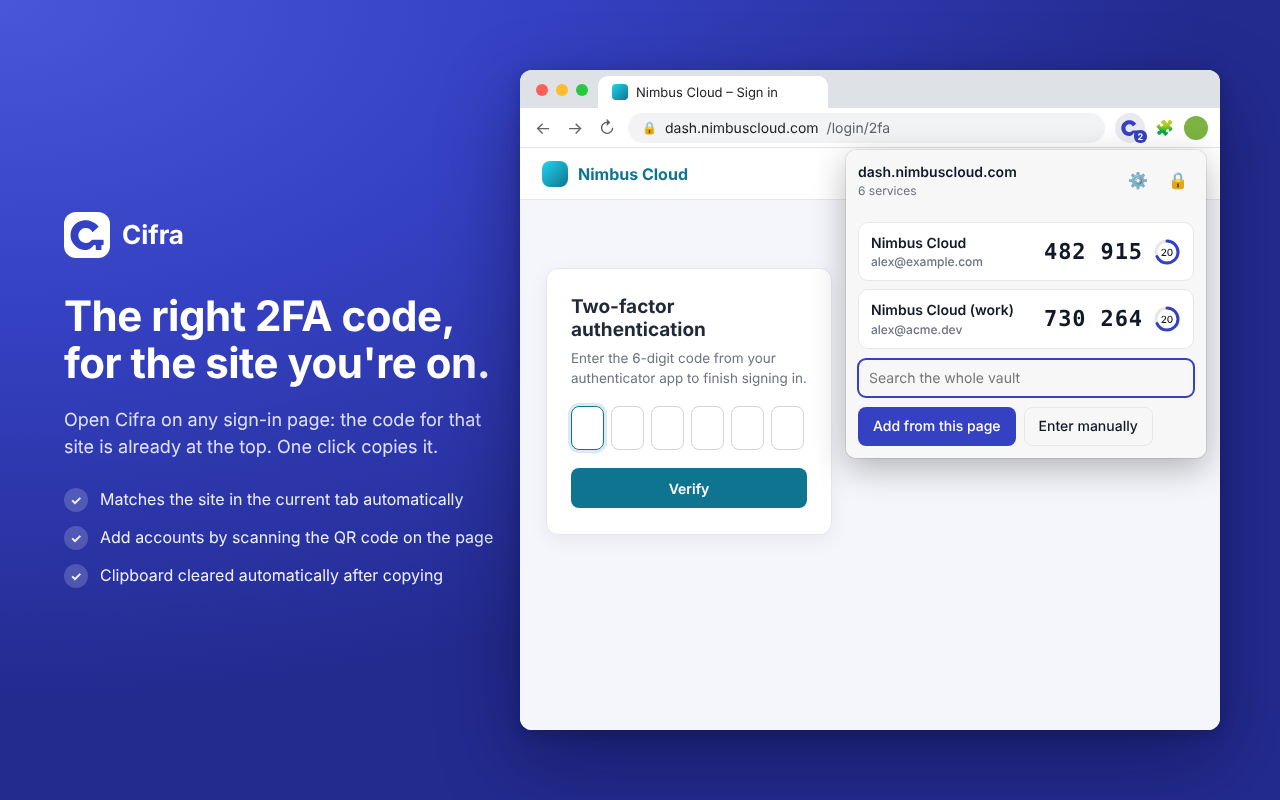
Services are linked to their domains, so the code you need is the first thing you see.
Secrets are encrypted on your device. The server only ever stores ciphertext.
One vault synced across Chrome, Edge and Firefox, and it keeps working offline.
Everything you expect from an authenticator app, built around the tab you are looking at.
Exact host or *.domain matching; the account you used last on that site goes first.
On a site's 2FA setup page, one click reads the QR code from the visible tab. Or type the secret by hand.
Click a code to copy it. The clipboard is cleared 30 seconds later, only if it still holds that code.
Import from Google Authenticator, Aegis, 2FAS or otpauth:// lists. Export to an encrypted backup.
The vault locks after a period of inactivity (15 minutes by default) and when the browser closes.
Sign-up confirmed by an emailed code, a 24-word recovery key you must prove you saved, optional 2FA with an authenticator app, passkeys or backup codes, and sign-in with Google.
Changes are saved encrypted on the device and uploaded as soon as the server is reachable.
Use the hosted service or point the extension to your own Cifra server from the sign-in screen.
Every key that can decrypt your secrets is derived on your device. The server stores ciphertext and a hash of an authentication key, nothing it could use to generate a code.
Your master password becomes a master key (64 MiB, 3 passes), on your device.
Separate keys for signing in and for unwrapping the random vault key.
Each secret is encrypted with the vault key, bound to its item id.
Receives only ciphertext and the auth key, which it hashes again with Argon2id.
The popup shows what you need right now; the options page manages everything else. Click an image to zoom.
Manifest V3 everywhere, no content scripts and no access to the pages you visit.
Chrome Web Store
Add to ChromeMicrosoft Edge Add-ons
Coming soonFirefox Add-ons (128+)
Coming soonOn Edge you can already install it from the Chrome Web Store (allow extensions from other stores when Edge asks).
Current version 0.2.0 · Web app · Source code (AGPL-3.0)

Your 2FA codes, encrypted with a key only you know, right next to the address bar.